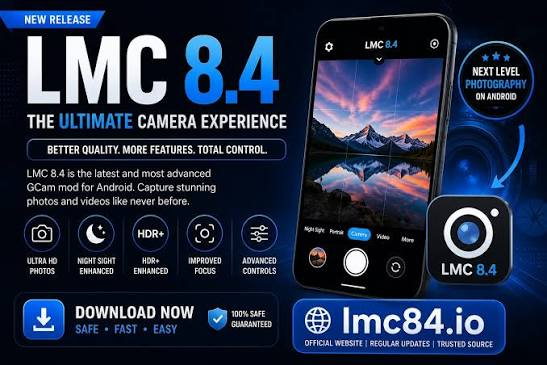

A good camera app can make a noticeable difference in smartphone photography, especially for Android users who want more control over their pictures. The LMC 84 APK File offers an alternative to the standard camera application with additional photography modes, image-processing features, and customization options. LMC 8.4 is a well-known GCam port that can work on many compatible Android smartphones.
What Is LMC 8.4?
LMC 8.4 is a third-party Google Camera port created for Android devices. It is designed to provide users with enhanced photography capabilities and more control over different camera settings.
The application can be useful for both casual users and photography enthusiasts. While beginners can use its basic shooting modes, experienced users can experiment with advanced settings and XML configurations to adjust the camera according to their smartphone.
Because Android phones use different camera sensors and software, the performance of LMC 8.4 can vary from one device to another.
Main Highlights of LMC 8.4
LMC 8.4 comes with a variety of features that make it different from many standard camera applications.
HDR+ Mode
HDR+ is designed to improve the balance between bright and dark portions of a photograph. It combines multiple frames to create an image with improved exposure and detail.
This feature can be particularly useful when photographing outdoor scenes, landscapes, buildings, or subjects with strong light and shadows.
Night Sight
Night Sight is designed for taking photographs in low-light conditions. Instead of relying on a single exposure, the camera can capture multiple frames and process them to produce a brighter result.
Depending on the phone’s hardware and configuration, this mode can help reduce noise and reveal additional details in dark scenes.
Portrait Mode
Portrait Mode is useful for taking pictures of people and individual subjects. It attempts to distinguish the subject from the background and create a soft blur effect.
For the best results, users should maintain a reasonable distance between the subject and the background and use sufficient lighting.
Astrophotography
Compatible smartphones may support astrophotography features for capturing the night sky. This mode is intended for longer exposures, making phone stability especially important.
A tripod or stable surface can help prevent movement and produce sharper night-sky photographs.
RAW Image Capture
RAW photography is useful for people who prefer editing their images after taking them. RAW files can retain more original image information, allowing greater flexibility when adjusting exposure, colors, highlights, and shadows.
RAW availability depends on the smartphone’s camera hardware and software support.
LMC 84 APK File Compatibility
The LMC 84 APK File may not work exactly the same way on every Android smartphone. Before installing an APK, users should consider their device’s specifications and camera compatibility.
Important factors include:
- Android operating system version
- Smartphone chipset
- Camera2 API support
- Camera sensor capabilities
- Device software
- Available camera lenses
- RAM and processing performance
Some devices may run the application without any major issues, while others may require specific settings or configurations. Certain camera features may also be unavailable if the phone does not provide the necessary hardware or software support.
XML Configurations Explained
XML configurations are one of the useful customization features associated with LMC 8.4. An XML file can contain a collection of camera settings designed for a particular smartphone or photography style.
Instead of manually adjusting every setting, users can load a suitable XML configuration and test the results.
Different configurations can change aspects such as color tones, exposure, sharpness, contrast, noise reduction, and image processing. Since every device has different camera hardware, an XML file that works well on one phone may not provide the same results on another.
It is therefore recommended to use configurations created specifically for your smartphone whenever possible.
How to Install LMC 8.4
The installation process is similar to installing other APK applications on Android.
First, download a compatible version of the application from a source you trust. After the download finishes, open the APK through your device’s file manager.
If Android displays a security warning about installing an application from an external source, review the source carefully before continuing. Only allow installation when you are confident that the file is trustworthy.
After completing the installation, launch LMC 8.4 and provide the permissions required for camera functionality.
The exact installation steps may differ slightly between Android versions and smartphone brands.
How to Improve Camera Results
Simply installing a camera port does not guarantee better photographs. Proper settings and suitable configurations can make a significant difference.
Start by keeping the camera lens clean and selecting the appropriate mode for the scene. HDR+ can be useful for daylight photography, while Night Sight may work better in darker environments.
When taking portraits, avoid placing the subject too close to the background. For long-exposure photography, keep the phone completely stable.
It is also worth testing different XML configurations. If one configuration produces unnatural colors or poor exposure, try another option that is specifically intended for your device.
LMC 8.4 Compared With the Default Camera
The default camera app that comes with an Android smartphone is normally optimized for that particular device. It usually provides an easy-to-use interface and supports the phone’s native camera hardware.
LMC 8.4 focuses more on customization and advanced photography options. It can give users additional controls that may not be available in the stock camera.
For everyday snapshots, the default camera can be convenient and reliable. For users who enjoy experimenting with settings, image processing, and different camera modes, LMC 8.4 can provide a more flexible experience.
The best choice ultimately depends on the smartphone and the user’s photography preferences.
Is LMC 8.4 Safe?
Since LMC 8.4 is a third-party camera port, users should pay attention to the source of the APK they download. Avoid suspicious websites, unknown files, and applications that request unnecessary permissions.
Before installing any APK, make sure it is compatible with your Android version and device. It is also a good practice to keep Android’s built-in security protections enabled.
Users should always verify the source and file before installing third-party applications on their phones.
Final Verdict
LMC 8.4 can be an appealing camera alternative for Android users who want additional photography features and customization. With options such as HDR+, Night Sight, Portrait Mode, astrophotography, RAW capture, and XML configurations, it provides plenty of room for experimentation.
However, compatibility is an important factor because Android smartphones use different camera hardware and software. Choosing a suitable version and configuration for your specific device can help provide a smoother experience.
For photography enthusiasts who want to explore more camera controls and experiment with smartphone image processing, LMC 8.4 is an option worth considering.